
Navigating Around VU Collaborate Home
VU Collaborate Home is your starting point when you log in. It is where you can access your Spaces, organisation-level content, and other available resources.
VU Collaborate Home
VU Collaborate Space
VU Collaborate Home
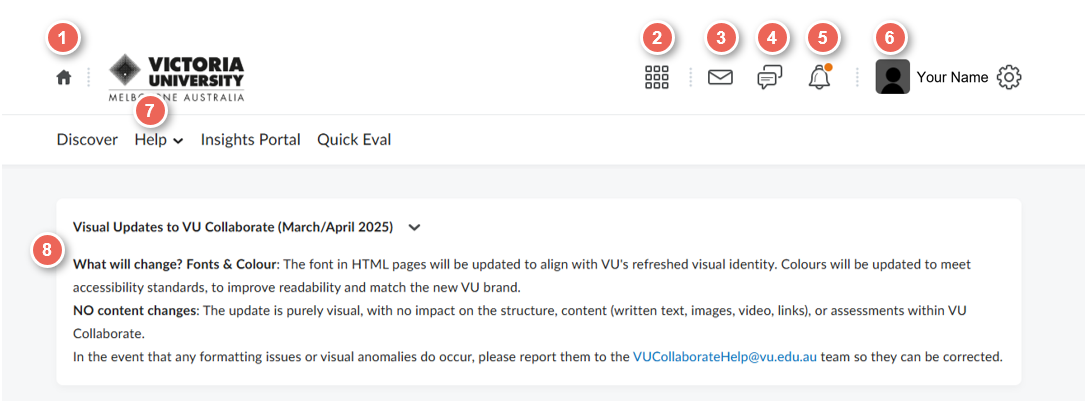
The Minibar and Announcements
The minibar at the top of the screen is always available to you, announcements only appear when an announcement is made.
- VU Collaborate Home – Clicking here will bring you back to the VU Collaborate homepage.
- The Waffle - Your spaces are listed when you click here.
- Message Alerts – Email, My ePortfolio invitations.
- Subscription Alerts – New discussion posts and My ePortfolio subscription notifications.
- Updates – New and updated news posts, due dates, grades, and My ePortfolio item.
An orange circle appears on the appropriate alert icon if you have unread alerts. The notifications from the Messages, Subscriptions and Updates icons in the minibar contain alerts from the last 90 days. However, only the five most recent alerts will appear. To expand the list, click Load More. - Personal Menu – Click here to adjust your notification settings and log out.
- Help Information – Contains Help resources, links to ITS service desk, Library and other resources.
- Announcements Widget - Only appears when an announcement is to be made like a VU Collaborate issue or block updates.
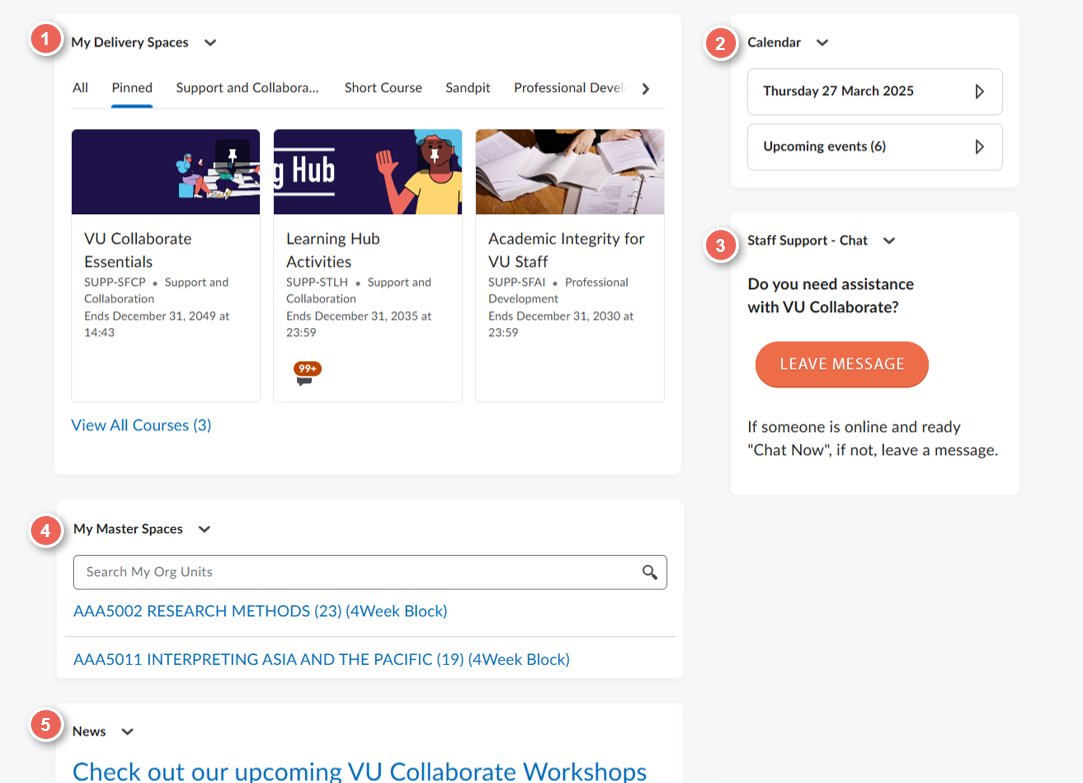
Access delivery and master spaces
On the VU Collaborate homepage, you will see:
- My Delivery Spaces Widget – Links to all your delivery and sandpit spaces. Delivery Spaces are separated by teaching periods; click the appropriate tab to search units by teaching period.
- Calendar Widget - Shows upcoming events like online classroom and assignment due dates or quizzes.
- Staff Support - If you have any questions related to VU Collaborate, use this widget to contact VU Collaborate Help Team.
- My Master Spaces Widget - Links to all your master spaces.
- News Widget – Displays news from all your spaces plus organisational news.
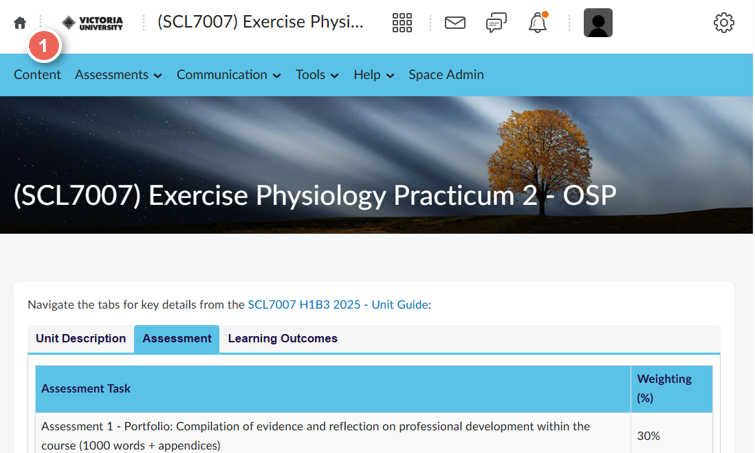
Space Home
Main Menu
What’s in the Main Menu?
The main menu provides access to:
- Content - access your learning activities and resources
- Assessments - Dropboxes, Groups, Grades, Quizzes and Rubrics
- Communication - Discussions, News and Zoom classrooms
- Tools - range of learning tools including attendance, LinkedIn Learning, Video (Panopto) and more
- Help - guides and support services
- Space Admin
Space Homepage Widgets:
- Unit Guide Widget – View assessment tasks and access a link to the full guide.
- Access Plan - Lists students with access plans, and provides a link to the portal for more information.
- Analytics - View how many people have accessed the space in the past week
- Staff Support Widget - Guides, Workshops, and support from VU Collaborate Team.
- 24/7 Assessment Feedback - Students can access feedback on written assessments
- News Widget - Space news.
- Updates Widget – Provides updates of new discussion posts, assessments submissions and more.
- Calendar Widget - Send your students reminders.
Next Step
How do I find content in my space? See Search VU Collaborate