


Create Assessment Groups in VU Collaborate
If your unit includes group projects, the Groups tool in VU Collaborate is a great way to set up group assessment submissions and private discussions between group members. You can also use it to release group-specific content or assessment tasks, helping create a more personalised learning experience for students.
This guide shows you how to create and manage group categories, including manually allocating students if required and exporting group enrolments.
Upcoming Change: Improved Groups Management in VU Collaborate (available Monday 26 October 2026).
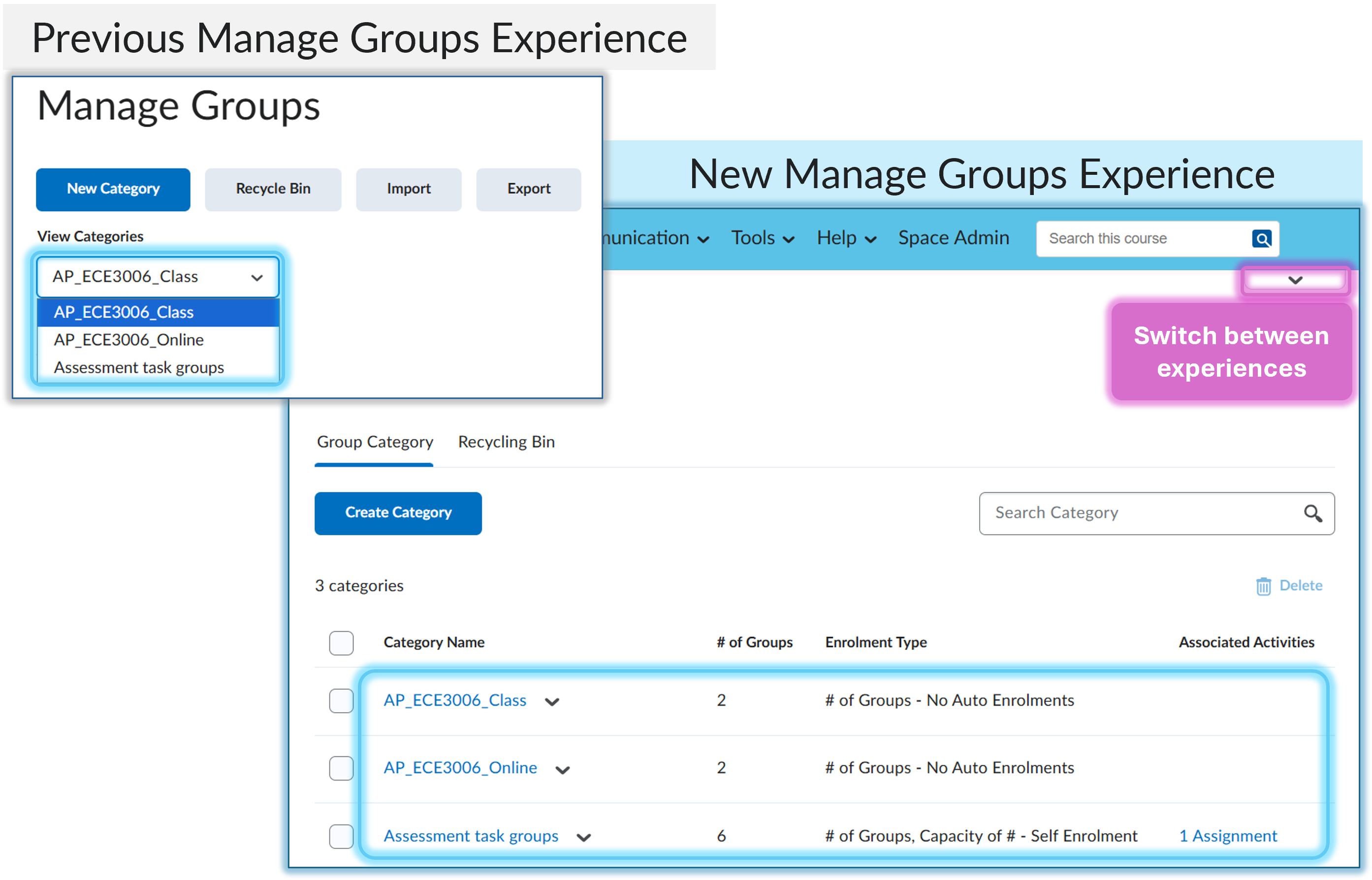
Switch to new Manage Group experience (from Monday 26-Oct-2026)
- Old Experience: Group categories accessed through a drop-down menu.
- New Experience: Group categories displayed in a list view with expanded management options, including bulk editing of group names.
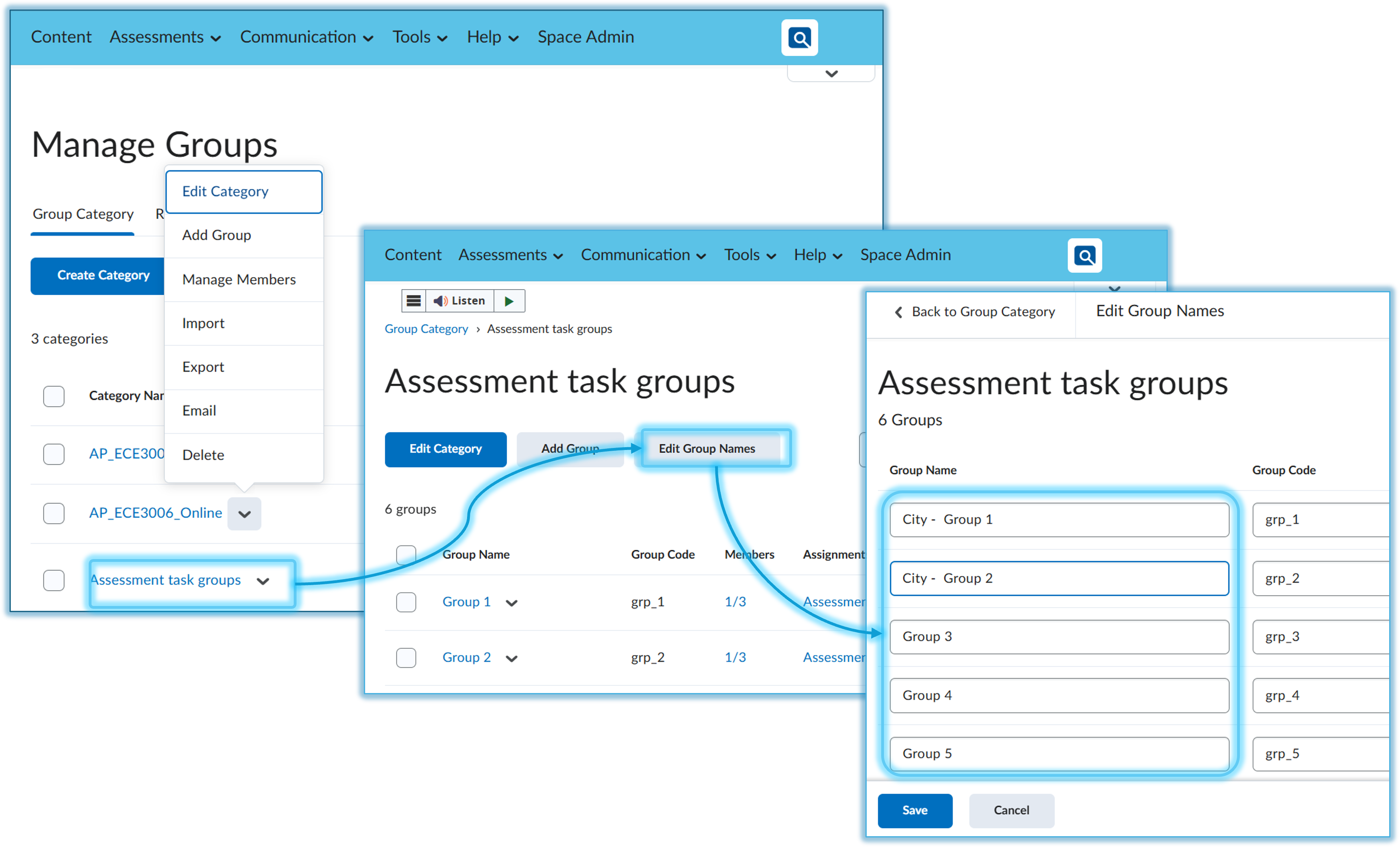
Bulk Edit Group names
Manage options via the Group Category action menu and, bulk edit group names via the Group Category name.
Watch: Create Assessment Groups in VU Collaborate
Watch Create Assessment Groups in VU Collaborate, or view the guide in full text view.