Turnitin Feedback Studio
Check for similarity and provide on page feedback

Turnitin
Turnitin text-matching software compares submitted work to web pages, journals, articles, and other student submissions. The similarity report it produces identifies matching content, not plagiarism.
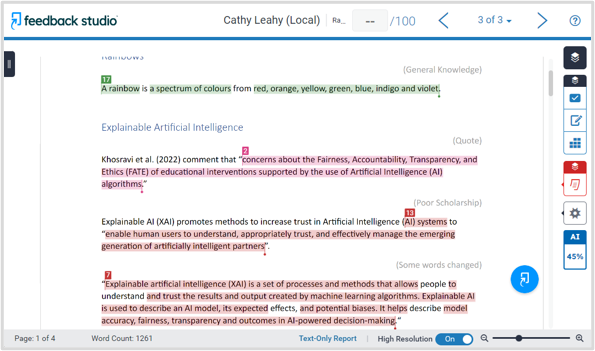
You can view these reports in either enhanced view or classic view. Enhanced view provides clearer insights, faster feedback, and better outcomes. Classic view will be more familiar to staff who have used Turnitin before, and is the view students see.
Frequently asked questions
Can I still use the classic view?
Yes, select the button at the top of the page, to switch between classic and new report views.
Are reports available for students?
No, currently, the reports are only available for staff.
Want to learn more?
To learn how to enable a similarity check, view and interpret reports, use the resources below.
- View the Enhanced Similarity Report
- Take the self-guided tour
- Book a training session
- View step-by-step guides
Enhanced Similarity Report (teacher view)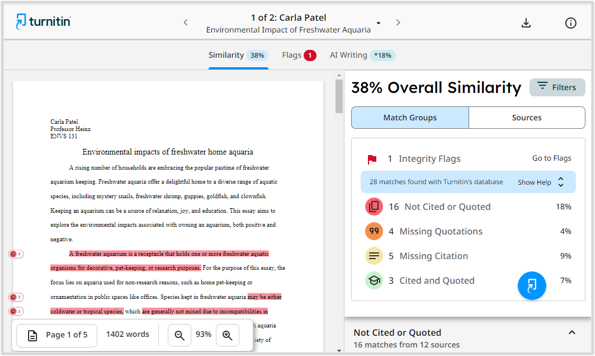 Classic Report (student and teacher view)